
A 48-Hour Sprint In AI Tools
Scratching the surface of how solo builders wield team-level power with off-the-shelf AI tools (non coder field notes)
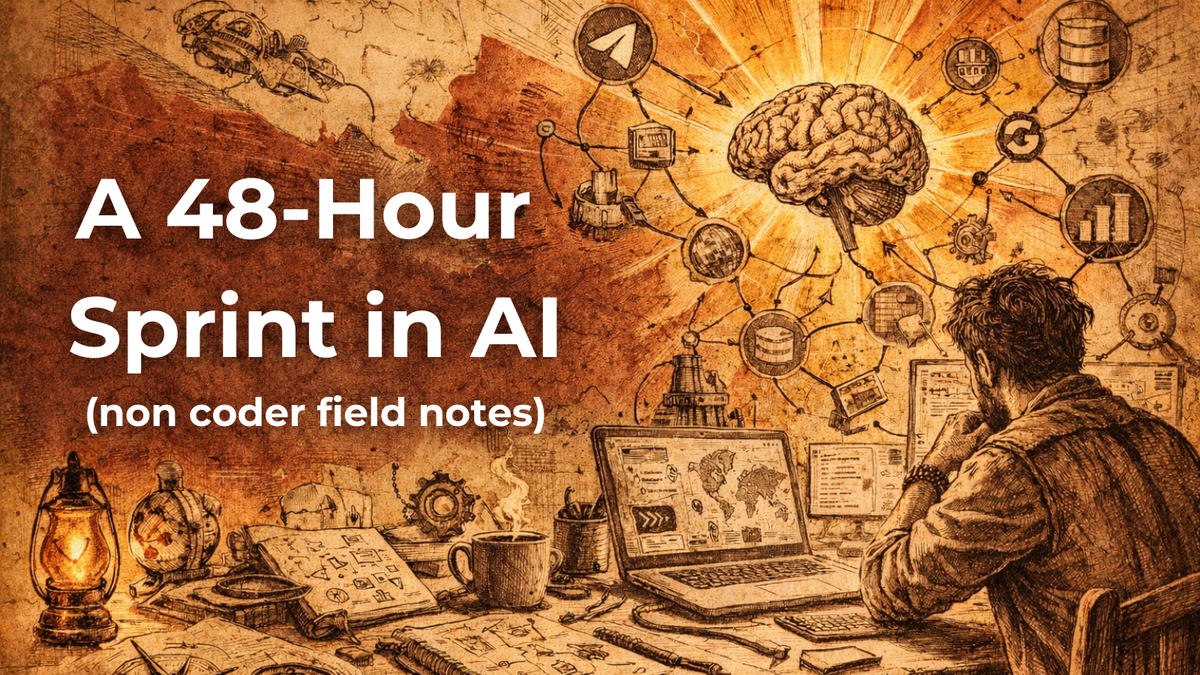
(the non-coder field notes)
Why I’m Doing This
If you’re already deep in AI automation, you should probably skip this. If you’re AI-curious and figuring out where to start, this might be for you.
I am curious about the AI revolution underway and I’d rather explore it hands-on than read about it. I’m a business and ops guy, not a coder. This is savage fish-out-of-water territory for me. Writing this as a field journal of the twists and turns.
The Opportunity
We are drowning in productivity porn; tools, demos, prompts and endless “ten ways to defeat ninjas with pantomimes” threads. Hamsters in a high-tech wheel, running faster but still in the same cage.
Founders want talent that bring new superpowers and help upgrade the team. They are already climbing Everest, and new AI-native teammates are the extra oxygen needed to make summit.
The ceiling for solo founders is disintegrating in front of us. AI now lets one builder ship what once required a full team.
A few early examples people are buzzing about: PhotoAI makes studio headshots from a laptop. PDF .ai turns documents into conversations. BoltAI places a GPT copilot in your Mac menu bar. The one-person software company has arrived, and this is just part of the freshman class.
Learning by building beats reading about other people building. That’s the path I’m exploring. Each project answers a question and exposes the next one. At times it feels like meandering through the dark, but doing the work turns the lights on one step at a time.
This path is for people who want to craft the machine, not dissappear inside it. Thats the hope.
My approach
Last week I ran a 48 hour sprint to learn new tools and understand how they connect. Many were completely new to me.
The goal was to build a small pipeline that listens to Telegram channels, scans the web for related leads, and stores the results in a database for AI analysis.
AI brains
- Gemini → AI command center for research, planning, tool navigation, task coordination.
- Venice AI → privacy-focused AI hub to access multiple models without exposing personal data
- NotebookLM → source-grounded research repackager engine: turn documents into podcasts, slides, summaries.
- Google AI Studio → model experimentation lab for testing models, prompts, workflows, large-context analysis. This is the place to vibe code.
Data pipeline
- Telegram API + Telethon → channel listener to monitor Telegram channels and extract insights automatically
- Firecrawl → web data ingestion engine to scrape pages and send structured data to Firestore
System infra
- Firebase Studio → full-stack construction site (cloud), IDE to build production apps, manage Firestore databases, and deploy web hosting.
- Google Antigravity → agentic mission control (local), specialized IDE for orchestrating autonomous AI agents that independently navigate files, terminals, and browsers.
- MCP (Model Context Protocol) → AI-to-workspace bridge, let AI read files, logs, and run fixes
- GitHub → project flight recorder, track code changes and milestones over time
Like many, I’ve been stuck in the Claude vs Gemini vs ChatGPT analysis paralysis loop. For this sprint I leaned deep into the Google stack, with Venice AI as a side tool for pet project experimentation. I figured if the tools live in the same ecosystem, the integrations might compound the benefits. The jury is still out on whether the tradeoffs are worth it. More below…
I used Google Gemini as mission control. It helped me navigate the AI stack, organize tasks, delegate work, research and brainstorming. At times it even acted like a tag-team cofounder that checked whether I completed the day’s tasks - and I appreciated this! Frustratingly, I ran into noticeable context drift even on the highest Gemini Ultra tier plan. A sober reminder that different models may be needed for different jobs.
I’m uneasy about how much data we casually feed AI. It feels less like if it leaks, and more like when? Venice AI aggregates 20+ models into one interface and lets you log in with a Web3 wallet, no email or personal information required. Pro access comes from staking VVV tokens or minting DIEM tokens for API use, both fully exit-able at market value. I haven’t explored the API deeply yet, but the runway is laid for future projects.
I used Google NotebookLM as a research repackaging engine. You feed it documents and it turns them into podcasts, videos, slide decks, flashcards, and infographics. Pretty impressive. The key difference is that it runs in a closed loop. It ignores the messy open web and only analyzes the sources you upload, which keeps the answers grounded and reduces hallucination.
I kicked the tires on Google AI Studio, which feels like a powerful lab for testing models, workflows, and large-context data analysis. Huge context window and “vibe coding” stand out. At times I wondered why it’s separate from Gemini. Then I realized the limit wasn’t the system, it was the size of my question and needs.
I used the Telegram API to tap into Telegram channels I already follow, and the Telethon Python library to automate the tedious parts. Instead of me manually scrolling through channels and copying messages, Telethon listens to the channels around the clock, pulls out the leads I care about, and passes them to the rest of the workflow.
I used Firecrawl as the data intake engine that turns the messy web into clean, usable data. It cuts through pop-ups, cluttered layouts, and other obstacles that usually block bots. I used it to search the broader web for topical leads. Instead of returning a list of links like a search engine, Firecrawl visited each page, read the content, and extracted the actual information I needed, then sent that data directly into our Firestore pipeline.
I used Google Firebase Studio as the workspace (IDE/Integrated Development Environment) where the software gets built and run. It’s where I wrote code, managed the database (Firestore), and hosted the automation. You can also build production grade apps here though I have not gone that far yet. I initially started working locally in PowerShell on Windows, but quickly moved to Firebase Studio in the cloud because it proved more robust and flexible for my needs.
Sadly, I did not get around to using the Google Antigravity specialized IDE for agent-first orchestration and parallel workflows. But that should land in forthcoming endeavours.
Most AI today is like a “brain in a jar.” It can think, but it cannot touch your tools. That forces humans to play courier, copying errors into chat and pasting fixes back into code.
I used Anthropic’s Model Context Protocol (MCP) which fixes that by giving AI eyes and hands inside the project. It can read terminal output, check logs, diagnose problems, and run fixes directly. The goal is turning AI from a chatbot into a working collaborator. Candidly, my first attempt still felt like manual copy and paste more than a smooth MCP pipeline. But friction teaches. The next project should run smoother.
In theory I should have thoroughly used GitHub as the project’s flight recorder, logging every code change and milestone for the final post-mortem. I did the pre flight check but dropped the ball here. Several moments turned into long debugging sessions just trying to get the basics of other tools working, and suddenly the days were gone.
What Worked, What Didn’t, Where Next?
No big deal. Progress happens one inch at a time. Four days ago most of these tools were a mystery to me. Now they’re familiar. The next PRD and workflow is going to be 🔥.
You’d expect a big reveal after a post this long. But not yet. It’s still a beautiful mess.
Things I’ll be working backwards from in the next sprint:
- A tighter PRD to keep the LLM focused.
- A smoother MCP pipeline to escape the copy-paste loop.
- Exploring Antigravity for automation and scouting
- An interesting deliverable worth sharing.
There are probably easier ways to approach this kind of work and if you’ve built similar pipelines or found better methods, I’d love to compare lifehacks.